











Access to your betting account starts with a secure login process. This guide explains how to enter your Sokabet profile, create a new account if you are joining for the first time, and resolve common issues that might prevent you from reaching your personal dashboard. Whether you use a desktop browser or prefer mobile betting, the steps remain straightforward once you understand the system.
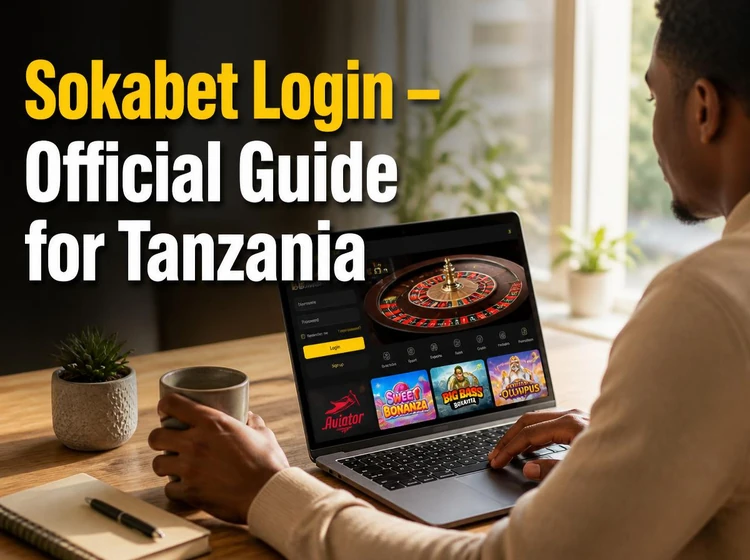
Tanzanian players will find the main steps here: initial registration, password recovery, mobile access, and troubleshooting tips that help keep an account available when login problems appear.
Official Sokabet Login
The login page is located on the homepage. Look for the entry form near the top of the screen. You will need two pieces of information: your registered phone number and the password you created during signup. Enter both carefully, then tap the button to proceed.

For a safer Sokabet login, use the official website or a saved bookmark rather than links from messages, social media comments, or unknown ads. Check that the page loads normally before entering your details. If the layout looks unusual, close the tab and open the site again from a trusted source.
Once inside, your personal dashboard displays your balance, recent bets, and quick access to account tools. Keep your login details private and avoid sharing them with anyone, even friends or family members.
How to Register a Sokabet Account
New users must complete registration before their first login attempt. The process is quicker when you have your phone and identification details ready. Start by clicking the registration button on the homepage, which opens a form requesting basic information.
Provide your full name exactly as it appears on your ID document, then enter a valid Tanzanian phone number. This number becomes your username and receives verification codes during account checks. Choose a strong password combining letters, numbers, and symbols. Weak passwords like 123456 or your birth date make accounts easier to access without permission.
After submitting the form, you receive an SMS with a confirmation code. Enter this code within the time limit to activate your account. If the code expires, request a new one instead of guessing. Your phone number and password become the credentials you use for every later login.
Login Using the Sokabet Mobile App
The Android application offers a dedicated login screen optimized for touchscreen devices. Download the mobile app from the official source, install it, then open it to find the entry form. The same credentials work across supported platforms: your phone number and password grant access whether you use a browser or the app.
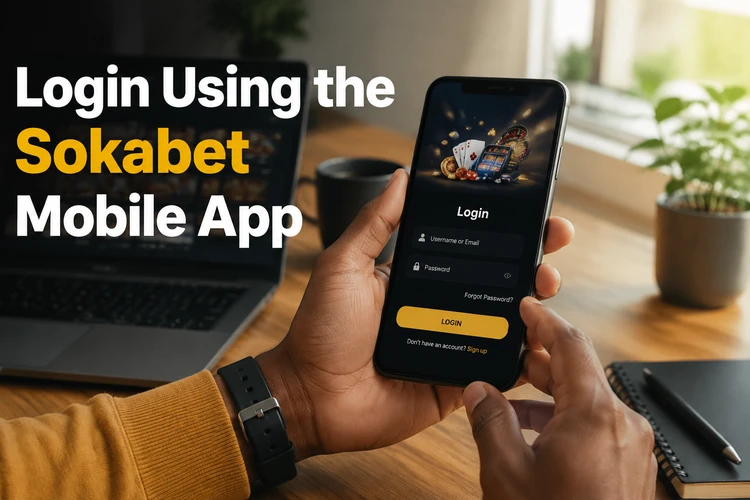
Mobile login can be more convenient than the browser version on smaller screens. The app may remember non-sensitive details such as your phone number, so you spend less time typing. If your device supports biometric authentication and the app offers it, use a screen lock as well; biometrics should not replace basic phone security.
Update the app when a new version is available. Old versions can cause login errors, slow loading, or missing security improvements. Remember to log out when using a shared device, even temporarily, to prevent others from placing bets or changing profile settings.
Password Recovery
Forgotten passwords happen to everyone. The recovery process begins on the login page, where a link labeled "Forgot password?" appears below the entry form. Click it to open a password reset request.
Enter your registered phone number, then submit the form. You should receive an SMS containing a reset code. Open the message, copy the code, and paste it into the verification field on the website. The system then prompts you to create a new password.
Choose a password that is different from your previous one. Avoid names, common words, and number patterns that someone could guess from your public information. Store it in a password manager or another secure place. If the SMS does not arrive after several minutes, check message filters, confirm that your phone has network coverage, or contact support through the contact page.
Common Login Problems and Solutions
Technical issues occasionally prevent successful logins. Most problems trace back to incorrect credentials, network instability, expired codes, or outdated app versions. The table below lists typical scenarios and practical fixes.
| Problem | Possible Cause | Solution |
|---|---|---|
| Incorrect password error | Typing mistake or caps lock enabled | Retype carefully or use password recovery |
| Verification code not received | Network delay or wrong number entered | Wait a few minutes, then request a new code |
| Site will not load | Internet connection failure | Check WiFi or mobile data settings |
| App crashes on login | Outdated software version | Update the app from the official source |
| Account locked message | Multiple failed login attempts | Wait before trying again or contact support |
Clear your browser cache if the site behaves strangely or displays outdated information. On the app, clearing the cache through your phone settings can resolve persistent glitches. When none of these steps work, contact the support team with your phone number, device type, and the exact error message you see.
Account Security Tips
Protecting your betting account requires ongoing attention to security habits. Start by creating a unique password that you do not reuse on other websites. If another service suffers a data breach, attackers often try stolen passwords on accounts that may hold a balance.

Never share your password, reset codes, or verification codes with anyone claiming to help you. Genuine support staff do not need these details to review a login issue. If you receive a suspicious call or message, stop the conversation and use the official support channel instead.
Log out after each session when using public computers or shared devices. Browsers often save login information automatically, allowing the next user to access your account without entering credentials. Staying logged in on your personal phone is safer, but use a screen lock to prevent unauthorized access if someone picks up your device.
Review responsible gambling practices regularly so betting remains entertainment rather than a financial risk. If account settings allow limits or cooling-off tools, use them before spending becomes difficult to control.
FAQ
Open the homepage and enter your registered phone number and password in the login form. Tap the login button to access your account. Use the official website or app to reduce security risks.
Click the registration button on the homepage, fill in your personal details, enter your phone number, and create a password. Complete the SMS verification step to activate the account.
Yes. Install the Android app from the official source, then use the same phone number and password you created during registration. Keep the app updated to avoid access problems.
Use the "Forgot password?" link on the login page, enter your phone number, and follow the SMS code instructions. After verification, create a new password and log in again.
Check for typing mistakes, extra spaces, an unstable internet connection, or an expired verification code. If your account is locked after several failed attempts, wait before trying again or contact support.
Basic phone verification happens during registration when you enter the SMS code sent to your number. If extra identity checks are needed later, follow the instructions shown in your account or provided by support.