











The Sokabet mobile app provides access to sports markets and account tools from a smartphone. Depending on the version currently offered, users may be able to place bets, follow live events, manage their profile, and review transactions without keeping a browser tab open. This guide explains how to find the correct download, install it on Android, use the mobile site on an iPhone, and address common technical problems.
Why use the mobile app instead of a browser
A dedicated app can load frequently used screens efficiently because some interface assets are stored on the device. Touch-focused navigation may also make it easier to move between events, markets, and the bet slip. If notifications are supported and enabled, they can provide account or event updates without requiring the user to refresh a page.
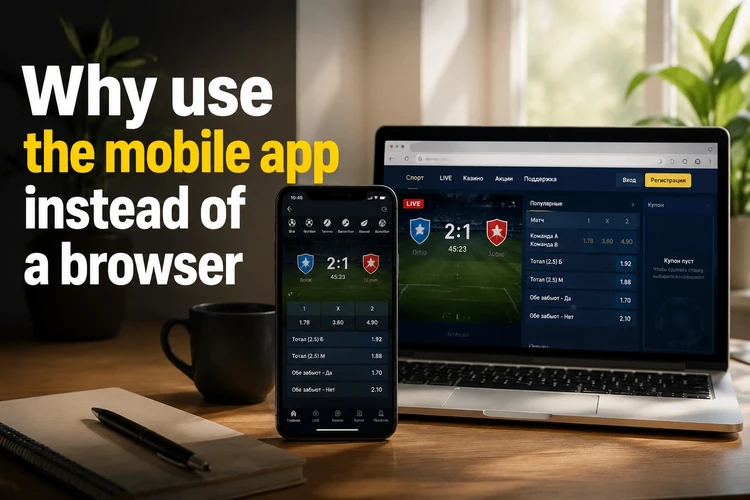
Performance still depends on the phone, available storage, and network quality. An app cannot prevent a connection from dropping, so confirm that a bet has been accepted before leaving the screen. If installation is not practical, the mobile website remains a useful alternative and does not require changes to Android security settings.
Where to get the Sokabet app
Use the download option provided through the official service rather than an APK repository, forum, or file-sharing page. Third-party files may be outdated or modified. Before downloading, inspect the address bar, confirm that the connection uses HTTPS, and make sure the page has not redirected to an unrelated domain.
Check the displayed version and release information when available. A genuine download should not require a survey, an extra installer, or permission to access unrelated data before the APK is opened. If a page produces repeated pop-ups or asks for payment merely to download the file, close it and return to a trusted starting point.
Installing the app on Android
An APK is the package format Android uses to install an application. Android normally blocks packages obtained outside Google Play until permission is granted to the browser or file manager opening the file. On recent Android versions, this permission is controlled separately for each source under the Install unknown apps setting.
- Step 1: Open the trusted download page in your mobile browser and select the Android download.
- Step 2: Let the APK finish downloading before opening it from the notification panel or Downloads folder.
- Step 3: If prompted, allow that browser or file manager to install unknown apps.
- Step 4: Review the installation screen, tap Install, and wait for Android to confirm completion.
- Step 5: Open the app and log in to your account, or complete registration if the option is available.
- Step 6: After installation, disable the source permission again unless you regularly need it.
If installation fails, first confirm that the download completed and that the device has enough free storage. Do not disable Android security features or antivirus protection simply to force an APK to run. A persistent warning may indicate a damaged file, an incompatible version, or an untrusted source.
Android and iPhone - platform differences
Android supports direct APK installation, although the menus differ by manufacturer and operating-system version. Before downloading, check any compatibility information shown on the source page rather than assuming that an older handset is supported. Updates may be delivered inside the app or require a newer APK to be installed over the existing version.
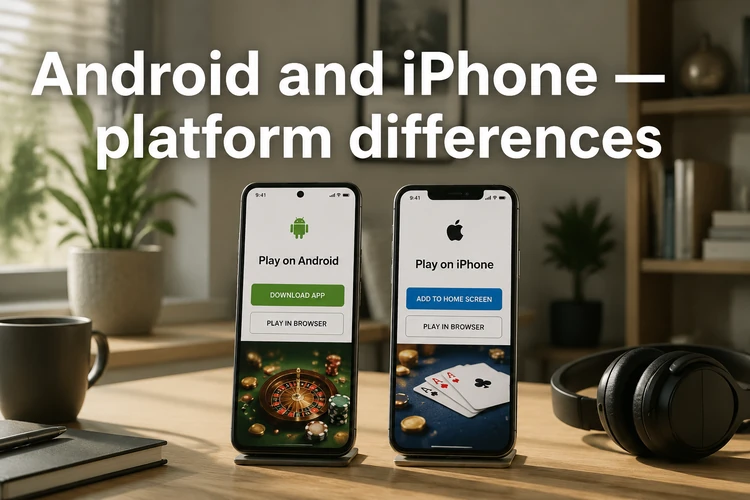
An Android APK cannot be installed on an iPhone. iOS users should check the App Store or the official service for a supported option, as availability can change by market. If no native iPhone application is offered, open the mobile website in Safari and use Add to Home Screen from the Share menu. This creates a convenient shortcut but remains a website rather than an installed iOS app.
What you can do inside the app
Available functions depend on the current release and account status. Core tools may include browsing pre-match and live events, selecting markets, managing a bet slip, and reviewing open or settled bets. Always check the stake, odds, potential return, and selected market before confirming because prices can change while an event is in progress.
Account areas may include profile settings, transaction history, deposit and withdrawal options, and notification controls. Payment choices can vary, so rely on the methods displayed in your account rather than instructions from messages or unofficial pages. Current offer details and eligibility terms are available on the bonus information page.
Common installation problems and fixes
If the APK refuses to install, confirm that installation permission was granted to the specific browser or file manager opening it. Permission given to one app does not automatically apply to another. Restarting the phone after removing a failed download can also clear a temporary installation process.
- Not enough storage - remove unused files or apps, then restart the download.
- File will not open - delete it and obtain a fresh copy from the trusted source.
- Package error - check that the APK is complete and compatible with the Android version.
- Crash on launch - restart the device, clear the app cache, and try again.
- Problem after an update - confirm that the update completed; reinstall only after checking that account access details are available.
- Unsupported device - use the mobile website if no compatible package is offered.
Staying safe when downloading APK files
The APK format is not inherently unsafe; the main risk is installing a package that has been altered or obtained from an unknown source. Keep Android and the app updated, review requested permissions, and reject access that does not make sense for the function being used. A betting app should not require control of accessibility settings or device administration merely to open.
Protect the account with a unique password and never send login details or one-time codes to another person. Use a screen lock on the phone, especially if payment methods remain connected to the account. If you notice an unfamiliar login or transaction, change the password and contact support through the contact page. Downloading carefully and applying updates promptly reduces avoidable installation and security problems.
FAQ
Open the trusted mobile download page and select the Android option. Wait until the APK has downloaded completely, then open it from the notification panel or Downloads folder. Android may ask you to permit installations from the browser or file manager you used.
An APK can be safe when it comes from a trusted source and has not been modified. Check the page address, avoid third-party repositories, and do not proceed if the download requires an unrelated installer, survey, or unusual device permissions.
Availability can vary by market and may change, so check the App Store or the official service for a supported iOS option. An Android APK will not work on an iPhone. If no native app is available, use the mobile website in Safari and add it to the Home Screen.
Follow any update notice shown inside the app or on its trusted download page. If a new APK is provided, download it and install it over the current version. Keep your login details available because local preferences or sessions may need to be restored afterward.
Common causes include an incomplete download, insufficient storage, an incompatible Android version, or missing permission for the browser or file manager. Delete damaged files and download them again. Do not switch off core security protections just to bypass a warning.
You generally need an account to place bets, make deposits, or request withdrawals. Existing users can sign in with their current credentials. New users should review the registration fields, age requirement, and applicable terms before creating an account.